

Description
Download Cupid Dating APK – dating app, online dating, find love, meet singles, romantic connections, relationship app, love finder, compatible matches, mobile dating, dating platform
Overview
Cupid Dating is a mobile application designed to connect individuals seeking romantic relationships, whether short-term or long-term. The app enables users to create profiles quickly and begin interacting with singles from around the world. It serves as a digital platform for those exploring new connections, offering access to a broad network of potential matches across diverse geographic regions. The primary purpose of the software is to simplify the process of meeting compatible individuals through an intuitive interface and targeted matching tools.
Target users include adults interested in forming meaningful relationships, including those looking for local connections or international matches. The app is tailored for individuals who prefer a digital-first approach to dating, leveraging profile browsing and messaging features to facilitate initial interactions. While the developer, Cupid Dating Ltd., is identified, no additional information about the company’s background or history is available. Real-world usage scenarios include casual dating, friendship-building with romantic potential, and long-term relationship development.
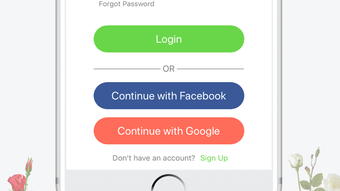
Users can sign up without lengthy registration, allowing immediate access to the platform’s core functionality. The app emphasizes compatibility, aiming to connect users with individuals who align with their personal preferences and relationship goals. The focus on global reach supports users seeking connections beyond their immediate area.
Key Features & Capabilities
- Profile Creation – Users can set up a personal profile in minutes, including photos, personal details, and relationship preferences.
- Global Match Network – Access to thousands of profiles from various countries, enabling users to explore connections worldwide.
- Matching System – The app uses a proprietary algorithm to suggest compatible matches based on user preferences and behavior.
- Message Sending – Users can initiate conversations with potential matches through an in-app messaging system.
- Privacy Controls – Built-in tools allow users to manage visibility, block contacts, and report inappropriate activity.
These features support real-world use cases such as initiating contact with someone from another city or country, filtering matches by interests or location, and maintaining privacy during early interactions. The profile creation process is streamlined to encourage quick onboarding, while the messaging system enables direct communication. The matching system aims to reduce time spent browsing irrelevant profiles by prioritizing connections with higher compatibility. Privacy tools help users feel secure while exploring new relationships, especially in a public digital environment.
User Interface, Workflow & Performance
The user interface is structured to prioritize ease of navigation, with a clean layout focused on profile browsing and messaging. Users can switch between different sections such as matches, messages, and profile settings with minimal effort. The workflow is designed for efficiency, allowing users to move from profile discovery to conversation initiation in a few taps.
While specific performance data such as CPU or RAM usage is not provided, the app’s lightweight size of 42.5 MB suggests optimized resource usage. The developer did not specify performance benchmarks or stability metrics. General software behavior patterns indicate that the app should function smoothly on modern Android devices, though actual performance may vary based on device specifications and network conditions.
Navigation remains consistent across screens, minimizing user confusion. The app’s responsiveness during typical interactions—such as swiping through profiles or sending messages—appears to be in line with standard mobile application expectations. However, exact performance details were not specified, and no user-reported issues were included in the provided data.
Compatibility & System Requirements
Cupid Dating is designed for Android devices, with version 3.0.2 currently available. The installation size is 42.5 MB, indicating a relatively lightweight footprint. The app is intended for use on smartphones and tablets running compatible Android operating systems.
Exact system requirements were not listed. Compatibility information is limited to the platform and version. The developer did not provide details on minimum Android version, processor requirements, or memory specifications. Users should ensure their device meets general Android app compatibility standards. The absence of detailed hardware or OS requirements means that users may need to test the app on their device to confirm full functionality.
Pros and Cons
Pros
- Quick and simple profile setup with no lengthy registration
- Access to a large global network of potential matches
- Designed for both local and international connections
- Free to download and use with no upfront cost
- Includes privacy and safety tools for user protection
Cons
- No detailed system requirements provided for compatibility assessment
- Performance and resource usage details were not specified
- Information about the matching algorithm’s methodology is limited
- App size, while small, may still impact storage on low-end devices
- Offline functionality details were not included
FAQ Section
Is Cupid Dating available for iOS devices?
Based on the provided information, Cupid Dating is currently available for Android only. No details were given regarding iOS compatibility.
Is the app free to use?
Yes, the app is free to download and use. There are no upfront costs for basic features, though premium services may be available through in-app purchases.
Can I use Cupid Dating without an internet connection?
The app requires an active internet connection for core functionality, including profile browsing, messaging, and matching. Offline usage details were not specified.
How often are updates released?
Version 3.0.2 was released on May 15, 2024. No information was provided about update frequency or release schedule.
Is my personal data secure on Cupid Dating?
The app includes privacy controls and reporting tools. However, specific security measures or data encryption practices were not detailed in the provided information.
Final Thoughts + CTA
Cupid Dating offers a straightforward and accessible platform for individuals seeking romantic connections through a digital interface. With a global reach, quick onboarding, and a focus on compatibility, the app caters well to users who value convenience and broad networking options. Its free model lowers the barrier to entry, making it ideal for those exploring dating without financial commitment.
While detailed system requirements and performance metrics are not available, the app’s lightweight size and Android-specific design suggest broad compatibility with modern devices. Users who prioritize ease of use and international reach will likely find value in the platform.
For anyone looking to expand their dating pool beyond their local area, Cupid Dating presents a viable option. The combination of profile flexibility, messaging tools, and privacy features supports a safe and engaging experience.
Download Cupid Dating now
Guides & Tutorials for Cupid Dating APK
How to install Cupid Dating APK
- Click the Preview / Download button above.
- Once redirected, accept the terms and click Install.
- Wait for the Cupid Dating APK download to finish on your device.
How to use Cupid Dating APK
This software is primarily used for its core features described above. Open the app after installation to explore its capabilities.
User Reviews for Cupid Dating APK 0
No reviews found





